What is a machine coordinate system?
The coordinate system set with the zero point of the machine as the origin is called the machine coordinate system.
A specific point on a machine tool used as a processing reference is called the machine tool zero point. The machine tool manufacturing plant sets the machine zero point for each machine tool. Once the machine tool coordinate system is set, it remains unchanged until the power is turned off.
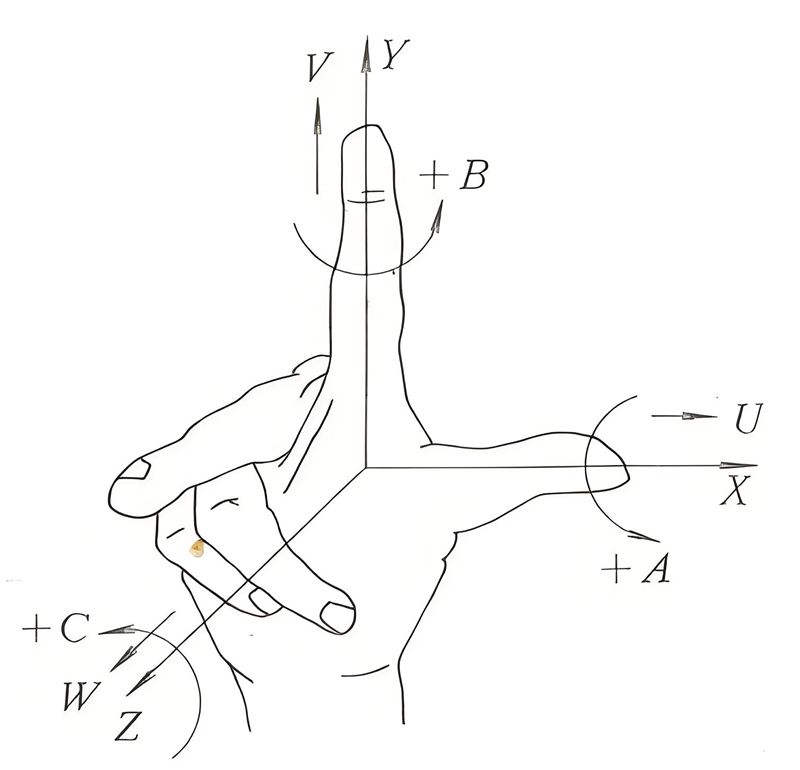
What is the workpiece coordinate system?
The coordinate system used when processing workpieces is called the workpiece coordinate system. The workpiece coordinate system is preset by the CNC.
A processing program can set a workpiece coordinate system. The workpiece coordinate system can be changed by moving the origin.
How to set the workpiece coordinate system:
(1) Use G-code G92
In the program, specify a value after G92 to set the workpiece coordinate system.
(2) Automatic Settings
Pre-set the parameter NO. When 1201#0 (SPR) is set to 1, the workpiece coordinate system is automatically set after the manual return to the reference point is executed.
(3) Use CRT/MDI panel input
Six workpiece coordinate systems can be set using the CRT/MDI panel input. G54 Workpiece coordinate system 1, G55 workpiece coordinate system 2, G56 workpiece coordinate system 3, G57 workpiece coordinate system 4, G58 workpiece coordinate system 5, G59 workpiece coordinate system 6.
Select the workpiece coordinate system from G54 to G59
Explanation
G54 to G59 are the six pre-determined working coordinate systems of the system (as shown in Figure 5.10.1), and any of them can be selected as needed.
The values of the origins of these six predetermined workpiece coordinate systems in the machine tool coordinate system (workpiece zero offset values) can be input in MDI mode, and the system will automatically remember them.
Once the workpiece coordinate system is established, the instruction values for absolute value programming in subsequent program segments are all values relative to the origin of this workpiece coordinate system.
G54 to G59 are modal functions that can be mutually cancelled, and G54 is the default value.
Example 3. Programming using the workpiece coordinate system: The tool is required to move from the current point to point A and then from point A to point B.
Note
Before using this set of instructions, first input the coordinate values of the origin of each coordinate system in the machine tool coordinate system in the MDI mode.
The specific method for inputting and setting the workpiece coordinate system using the CRT/MDI panel
1) Move the reference tool to the origin position of the workpiece coordinate system to be set.
2) On the MDI panel, select "OFFSET", use the soft key to choose "Coordinate System", move the cursor to the X-coordinate of G54 with the cursor movement key, input 0.0 with the keys on the MDI panel, and press "Measure" to set the origin of the workpiece coordinate on the X-axis. Move the cursor to the Y-coordinate of G54, input 0.0 using the keys on the MDI panel, and press "Measure" to set the origin of the workpiece coordinate on the Y-axis. Move the cursor to the Z-coordinate of G54, input 0.0 using the keys on the MDI panel, and press "Measure" to set the origin of the workpiece coordinate on the Z-axis.
Note: When entering the coordinate values of G54, there must be a decimal point after the input value.